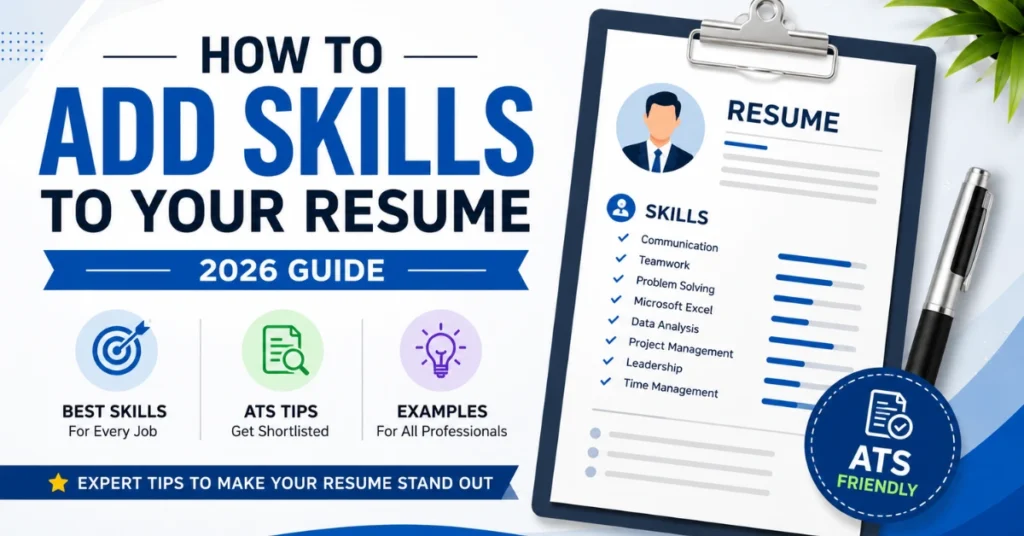
Landing your dream job starts with a well-crafted resume, and one of the most important sections is your skills. Knowing how to add skills to your resume can make a significant difference in whether your application gets shortlisted or ignored. Employers and Applicant Tracking Systems (ATS) look for candidates whose resumes clearly demonstrate the skills required for the role.
Whether you’re a fresher applying for your first job or an experienced professional seeking career growth, adding the right skills in the right way can improve your chances of securing interviews. This guide explains everything you need to know about how to add skills to your resume, including the best skills, examples, formatting tips, and common mistakes to avoid.
Why Are Resume Skills Important?
Your skills section gives employers a quick overview of your abilities and strengths. Recruiters often spend only a few seconds scanning each resume, so presenting relevant skills clearly can immediately grab their attention.
An effective skills section also helps your resume pass Applicant Tracking Systems (ATS). These systems scan resumes for specific keywords related to the job description. Including relevant resume skills naturally throughout your resume increases your chances of moving to the next stage of the hiring process.
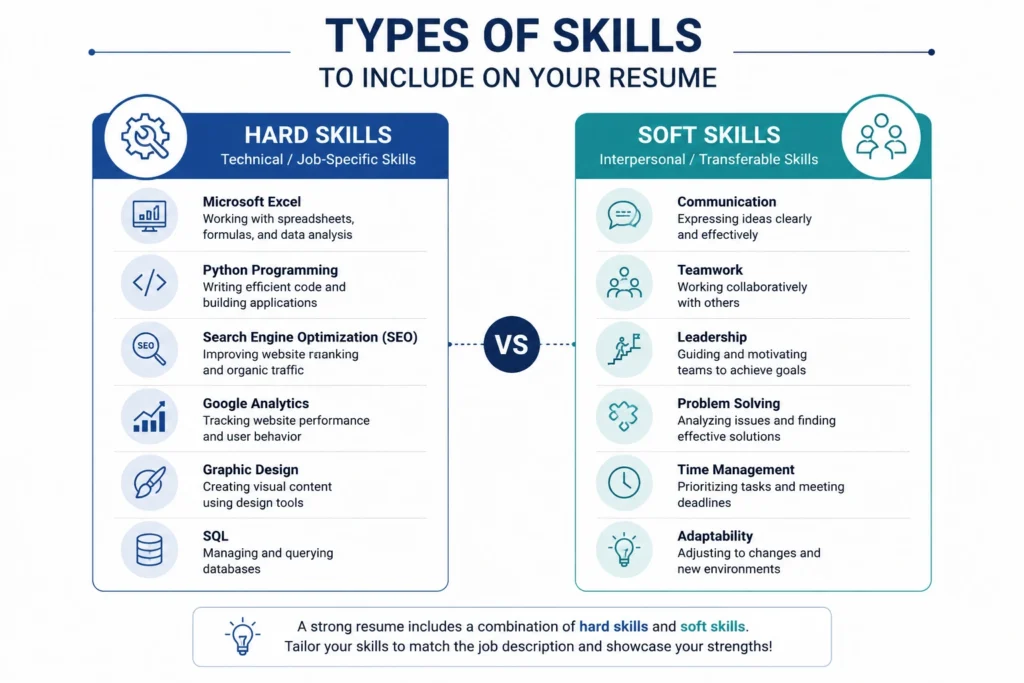
Types of Skills to Include on Your Resume
When deciding how to add skills to your resume, it’s important to understand that there are two main categories of skills.
1. Technical Skills (Hard Skills)
Technical skills are job-specific abilities that you learn through education, training, or practical experience. These skills can often be measured or tested.
Examples include:
- Microsoft Excel
- Data Analysis
- Search Engine Optimization (SEO)
- Graphic Design
- Python Programming
- Java
- AutoCAD
- Accounting
- Digital Marketing
- Google Analytics
2. Soft Skills
Soft skills describe how you work, communicate, and interact with others. These are equally valuable because employers want professionals who can collaborate effectively.
Examples include:
- Communication
- Leadership
- Problem-Solving
- Teamwork
- Time Management
- Adaptability
- Critical Thinking
- Creativity
- Decision Making
- Customer Service
A balanced combination of technical skills and soft skills creates a strong and professional resume.
How to Add Skills to Your Resume
Knowing how to add skills to your resume is more than simply creating a list. Your skills should support your experience and match the employer’s requirements.
Here are the best practices:
Read the Job Description Carefully
Before writing your resume, carefully review the job posting. Highlight important keywords and required skills.
For example, if the employer is looking for someone with experience in:
- Project Management
- Microsoft Excel
- Team Leadership
- Data Analysis
Include these skills only if you genuinely possess them.
Create a Dedicated Skills Section
Always create a separate Skills section that is easy for recruiters and ATS software to find.
Example:
Skills
- Microsoft Excel
- Communication
- Data Analysis
- Team Collaboration
- Problem-Solving
- Google Workspace
- Time Management
A clean list improves readability and ATS compatibility.
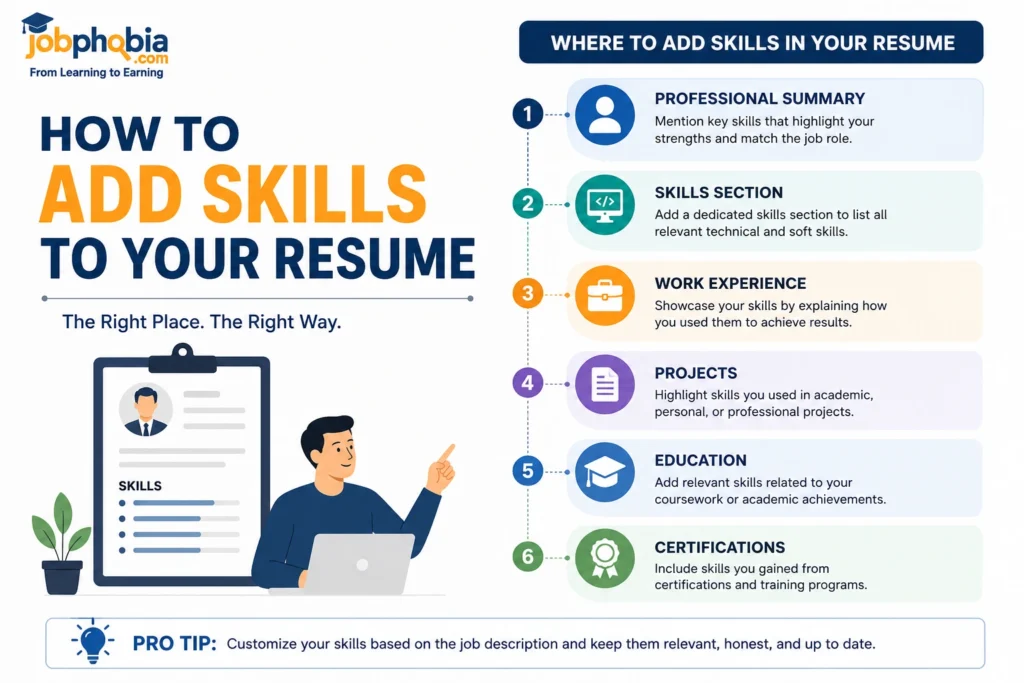
Mention Skills Throughout Your Resume
Don’t limit your skills to one section.
Include them naturally in:
- Professional Summary
- Work Experience
- Projects
- Certifications
For example:
“Improved website traffic by implementing SEO strategies and analyzing performance using Google Analytics.”
This demonstrates both your skills and achievements.
Best Resume Skills for Freshers
Freshers often worry because they have limited work experience. Fortunately, employers also value transferable skills.
Some of the best resume skills for freshers include:
- Communication Skills
- MS Office
- Teamwork
- Time Management
- Presentation Skills
- Research Skills
- Problem Solving
- Adaptability
- Leadership
- Quick Learning
You can develop these skills through internships, academic projects, volunteer work, or online courses.
Best Resume Skills for Experienced Professionals
Experienced professionals should highlight skills directly related to their industry and achievements.
Examples include:
- Project Management
- Client Relationship Management
- Budget Planning
- Team Leadership
- Business Analysis
- Strategic Planning
- Process Improvement
- Risk Management
- SQL
- CRM Software
Choose skills that demonstrate measurable value and align with the position you’re applying for.
Common Mistakes to Avoid
Many candidates lose interview opportunities because of simple mistakes.
Avoid these common errors:
- Adding irrelevant skills
- Copying every skill from the internet
- Keyword stuffing
- Using outdated skills
- Listing skills without supporting experience
- Including too many generic skills
Focus on quality rather than quantity.
ATS Tips for Resume Skills
If you want your resume to pass ATS successfully, follow these tips:
- Use keywords from the job description.
- Keep formatting simple.
- Use standard headings like Skills.
- Avoid images, icons, or text boxes in the skills section.
- Update your skills regularly.
An ATS-friendly resume is easy for both software and recruiters to understand.
Example Skills Section
Here is a simple example of a professional skills section:
Skills
- Microsoft Excel
- Google Sheets
- Data Analysis
- Project Management
- Team Collaboration
- Communication Skills
- Problem Solving
- Time Management
- Presentation Skills
- Customer Service
This format is clean, ATS-friendly, and easy to read.
Pro Tips for Adding Skills to Your Resume
Follow these expert tips to make your resume stronger:
- Customize your skills for every job application.
- Prioritize the most relevant skills.
- Include both technical and soft skills.
- Keep your skills updated with industry trends.
- Support your skills with achievements whenever possible.
- Avoid exaggerating your abilities.
- Proofread your resume before submitting it.
- Keep your formatting simple and professional.
Small improvements in your skills section can significantly increase your chances of getting shortlisted.
Resume Skills Checklist
| Checklist | Recommendation |
|---|---|
| Technical Skills | Include job-specific skills |
| Soft Skills | Highlight communication and teamwork |
| ATS Keywords | Match the job description naturally |
| Formatting | Use bullet points and standard headings |
| Relevance | Add only skills you genuinely possess |
| Updates | Review skills before every application |
Conclusion
Learning how to add skills to your resume is one of the most valuable steps you can take to improve your job search. A well-organized skills section not only helps Applicant Tracking Systems identify your qualifications but also makes it easier for recruiters to understand your strengths.
Choose skills that are relevant to the job, combine technical and soft skills, and support them with real achievements whenever possible. Keep your resume updated, tailor it for each application, and follow ATS-friendly formatting guidelines. By applying these best practices, you can create a professional resume that stands out, increases your chances of passing ATS screening, and helps you secure more interview opportunities.
Important Link for Updates
| Platform | Details |
|---|---|
| ➡️WhatsApp Channel | Click Here |
| ➡️Telegram Page | Click Here |
| ➡️LinkedIn Page | Click Here |
| ➡️Facebook Group | Click Here |
Some Useful Links
| Section | Useful Links |
|---|---|
| Courses for Skill Development | View All Courses |
| General Knowledge – National Parks | National Parks in India |
| General Knowledge – First in India | Top 100 Questions on “First in India” with Answers |
| General Knowledge – Ancient History MCQs | Indian Ancient History MCQs Quiz |
| General Knowledge – Indian Polity MCQs | Indian Polity MCQs Quiz |